Import from file
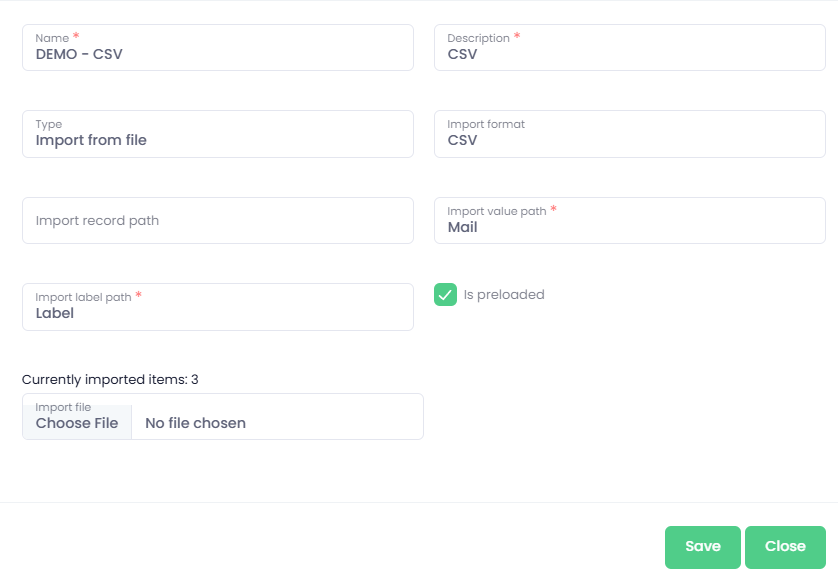
CSV from file
Name - name of the advanced list
Description - description of the advanced list
Type - Import from File
Import format - type of the file - CSV
Import record path - not required for CSV
Import value path - CSV column name from header from which the final value will be read
Import label path - CSV column name from header from which the displayed label will be read
Is preloaded - this option means whether you will see all the items in the list directly or if you will have to use search
Currently imported items - number of imported items from the source
Choose file - upload of the file with values
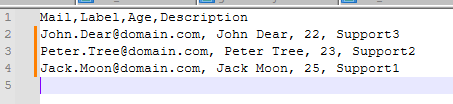
CSV structure for this example is as follows:
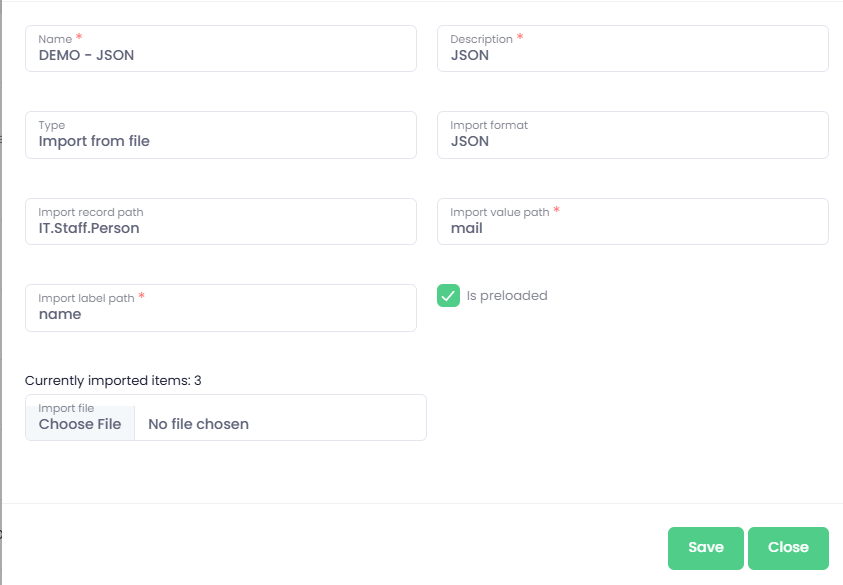
JSON from file
Name - name of the advanced list
Description - description of the advanced list
Type - Import from File
Import format - type of the file - JSON
Import record path - path to specific items in JSON structure
Import value path - JSON item name from which the final value will be read
Import label path - JSON item name from which the displayed label will be read
Is preloaded - this option means whether you will see all the items in the list directly or if you will have to use search
Currently imported items - number of imported items from the source
Choose file - upload of the file with values
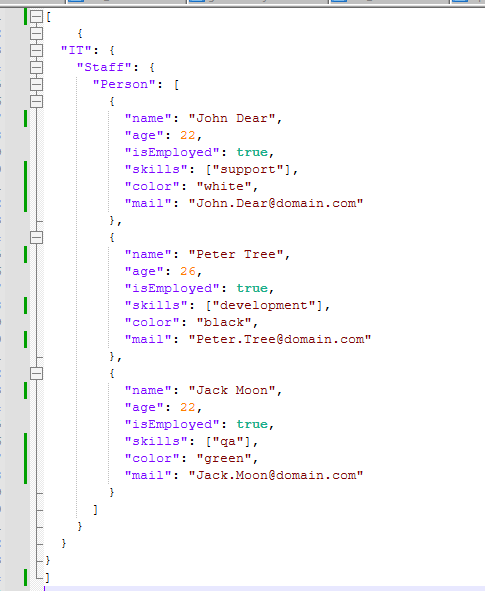
JSON structure for this example is as follows:
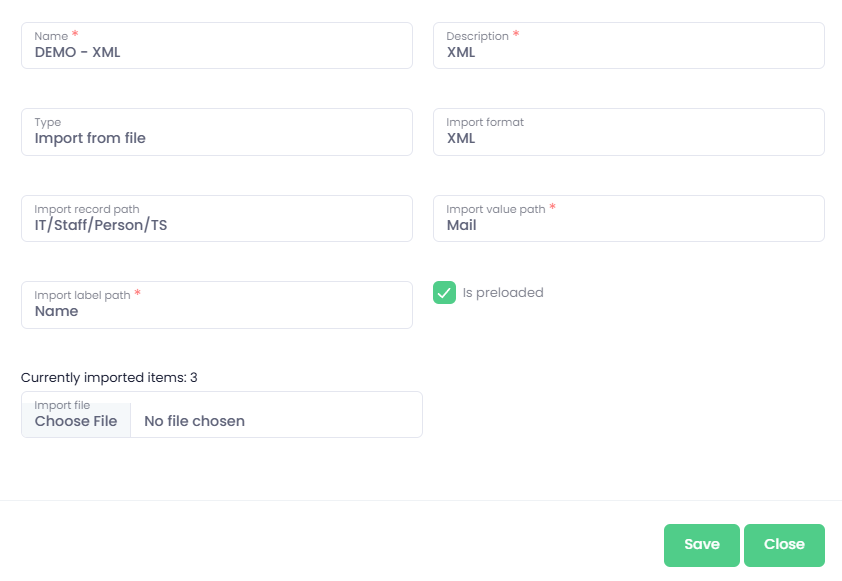
XML from file
Name - name of the advanced list
Description - description of the advanced list
Type - Import from File
Import format - type of the file - XML
Import record path - path to specific items in XML structure
Import value path - XML item name from which the final value will be read
Import label path - XML item name from which the displayed label will be read
Is preloaded - this option means whether you will see all the items in the list directly or if you will have to use search
Currently imported items - number of imported items from the source
Choose file - upload of the file with values
XML structure for this example is as follows:
