Installation
To install the OptimiDoc Cloud on Xerox device, see the steps below.
Application registration
1. Download the installer from the Partner Portal - InfoHub / OptimiDoc Cloud - OptimiDoc Cloud Device Installer.
2. Extract the files and run DeviceInstaller.exe
3. In the application select the manufacturer, enter the IP address of MFP, administrator login and password.
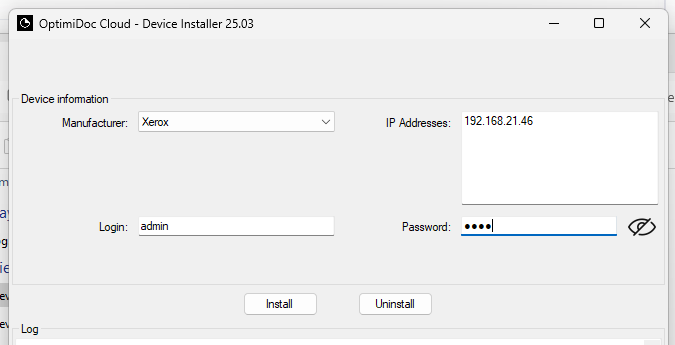
4. Finally click on Install; this action will register the icon on the Xerox MFP.
5. Once successfully registered, you can confgure the application itself on the MFP.