OCN direct print
This way you can configure the OCN to route the print jobs and print jobs directly to specific printer.
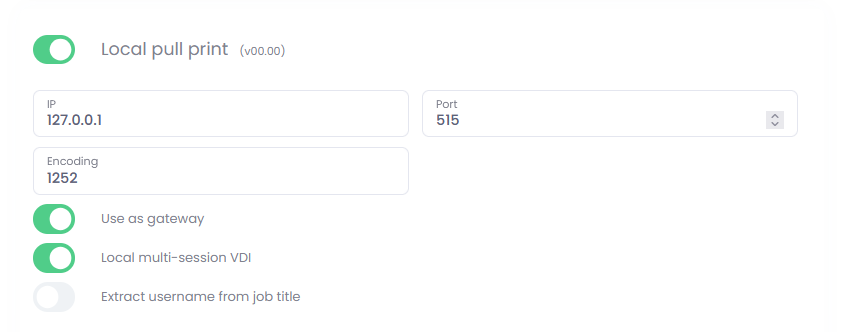
You have to enable the gateway mode in OCN settings:
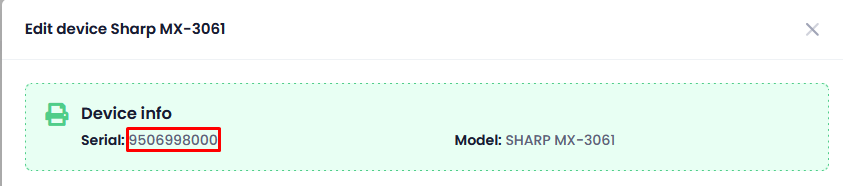
Then you have to know the device serial number, you can find it in device list or when editing the particular device:
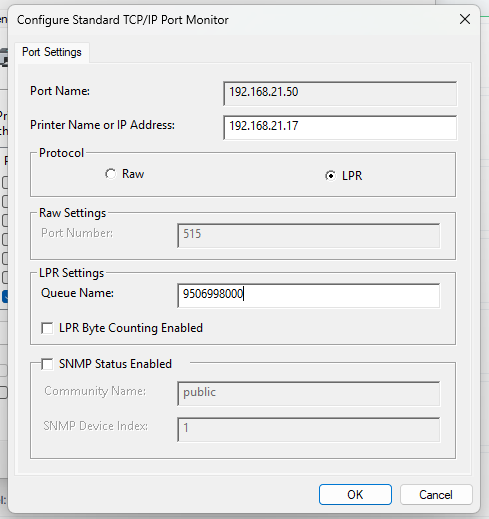
Finally, in the driver/port configuration enter this SN value into the queue field:
Once saved, OCN will route the jobs accordingly and files will be released directly on the particular printer.