Workflow operations
The Workflow Operations section provides detailed logs of automated or manual workflows executed within the system. It helps track document processing activities, monitor workflow efficiency, and ensure compliance with organizational standards.
Filters
Located at the top of the section, filters allow customization of the displayed data:
- Date Range: Select the start and end dates for the report.
- User: Filter workflows by specific users.
- Department: Narrow down results to a particular department.
- Workflow: Choose specific workflows to view their activity.
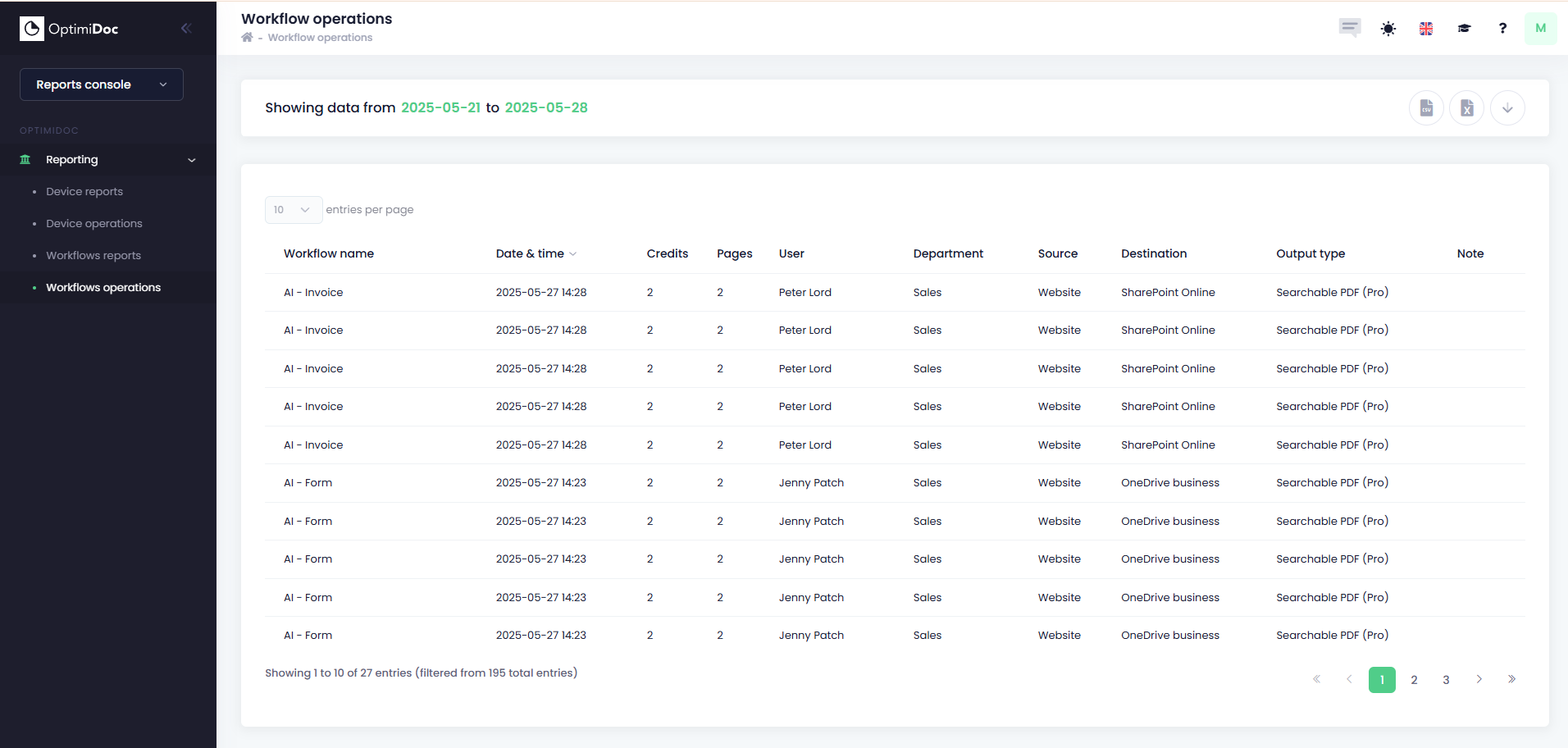
Workflow Operations Table Fields
Each row represents a single workflow execution. The table includes the following fields:
- Workflow Name: The name or identifier of the workflow (e.g., Scan to Word, Scan to PDF).
- Date & Time: Timestamp indicating when the workflow was executed.
- Credits: Number of credits consumed by the workflow (if applicable).
- Pages: Total number of pages processed in the workflow.
- User: The user who initiated the workflow.
- Department: The department associated with the user.
- Source: The origin of the document (e.g., MFP, uploaded file).
- Destination: The target location for the processed document (e.g., Email, Folder).
- Output Type: The format of the resulting document (e.g., Microsoft Word, Searchable PDF).
- Note: Additional remarks or details related to the workflow.