
A Technical Approach to Secure, Scalable, and Cloud‑Native Print Management
Traditional print infrastructures are based on manufacturer‑specific print drivers installed and maintained on each workstation. This architecture introduces significant operational complexity, expands the attack surface of end‑user devices, and increases lifecycle management costs—challenges that are amplified in hybrid and cloud‑first environments.
OptimiDoc Driverless Printing replaces vendor‑specific drivers with a standards‑based printing architecture built on the Internet Printing Protocol (IPP). The solution preserves device‑specific finishing capabilities, secure job handling, and detailed accounting, while shifting print configuration and control to a centralised cloud layer. This enables predictable behaviour across diverse printer fleets and operating systems, without compromising printing functionality or user experience.
OptimiDoc Driverless Printing – Core Architecture Principles
Standards‑Based Print Communication
OptimiDoc uses IPP as the primary protocol for print communication and configuration, eliminating the dependency on proprietary manufacturer drivers on client devices.
In this architecture:
-
Print job metadata and configuration are transmitted using standardised IPP attributes
-
Device capabilities are queried dynamically rather than hard‑coded in drivers
-
Print logic is decoupled from workstation operating systems and printer vendors
This approach ensures consistent behaviour across heterogeneous printer fleets and simplifies long‑term platform maintenance.
PDF‑Based Printing Without PCL or PostScript
OptimiDoc Driverless Printing does not rely on traditional page description languages such as PCL or PostScript (PS). Instead, all print jobs are processed natively in PDF format.
Print configuration parameters—such as finishing options, colour mode, and duplex settings—are transmitted independently via IPP attributes. Because job configuration is handled at the protocol level through IPP, PCL and PS are no longer required for print job description or device control.
By separating print configuration (IPP attributes) from print content (PDF), OptimiDoc simplifies the print pipeline, ensures consistent output across devices, and removes the dependency on legacy printer languages while preserving full device functionality.
This architecture also enables a wide range of future enhancements at the document level, including:
-
Security and content compliance checks
-
Dynamic watermarking
-
Redaction of sensitive information within printed documents
Because print jobs are processed in a controlled, PDF‑based pipeline before final output, these operations can be applied centrally and consistently, independent of client devices or printer manufacturers.
Native OS Integration
Because IPP is natively supported by modern operating systems, OptimiDoc Driverless Printing integrates directly with:
-
Windows Protected Print, providing a secure, driver‑free Windows print pipeline
-
macOS AirPrint, enabling native printing without additional software components
-
Mopria, ensuring unified capability discovery and behaviour across supported devices
No vendor‑specific binaries or kernel‑level drivers are required on the workstation.
Advanced Print Capabilities Without Local Drivers
Direct Printing: Dynamic Capability Discovery
For direct printing workflows, OptimiDoc dynamically retrieves printer‑specific capabilities from the target device using IPP capability queries.
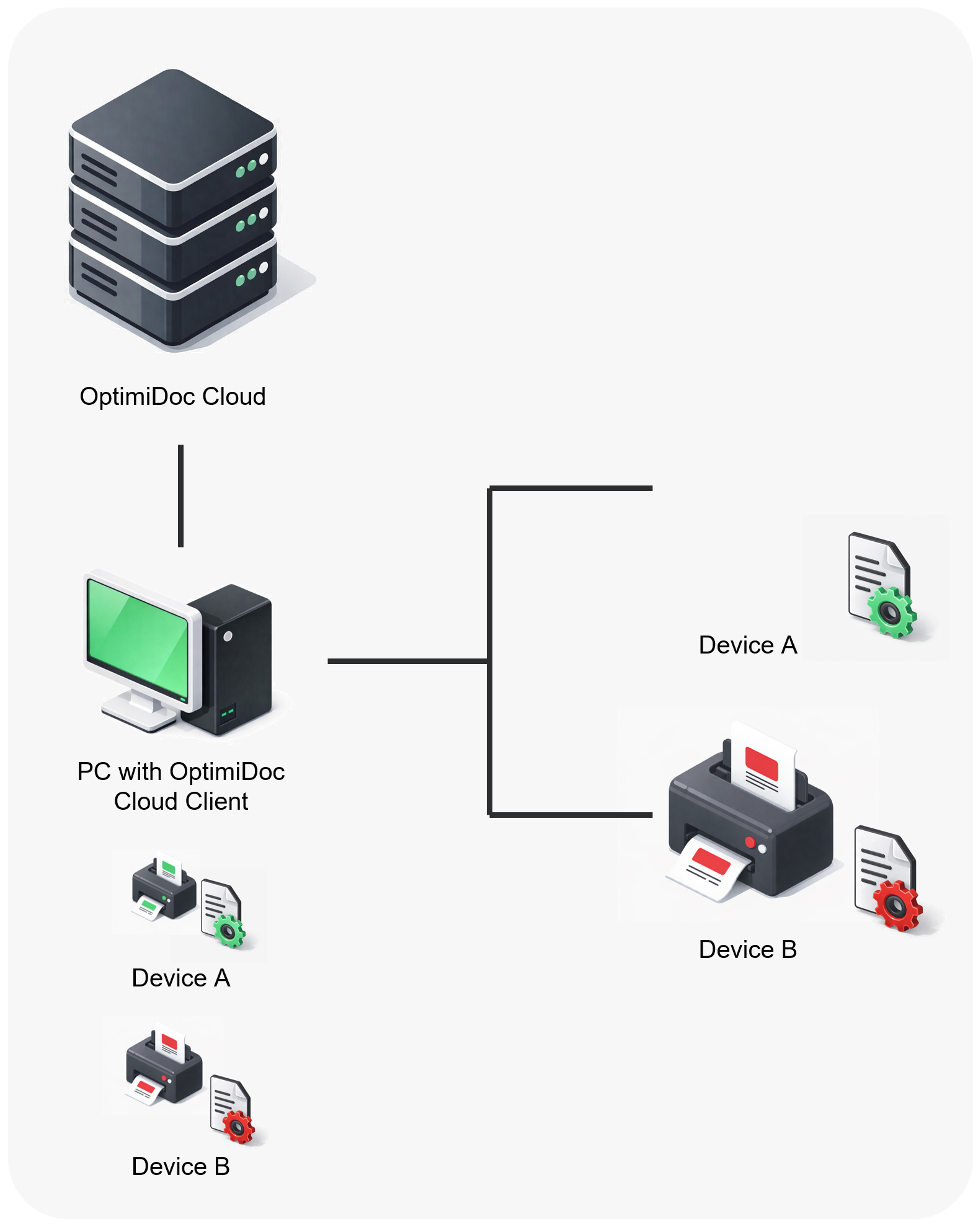
These capabilities include, but are not limited to:
-
Duplex modes
-
Colour and monochrome configuration
-
Finishing options such as stapling, sorting, and collation
Capabilities are presented to the user at print submission time. The selected configuration is embedded into the print job metadata and interpreted during final job execution, ensuring that output accurately reflects both device capabilities and user intent.
Secure Printing via Virtual Spoolers and Templates
Virtual Spooler Architecture
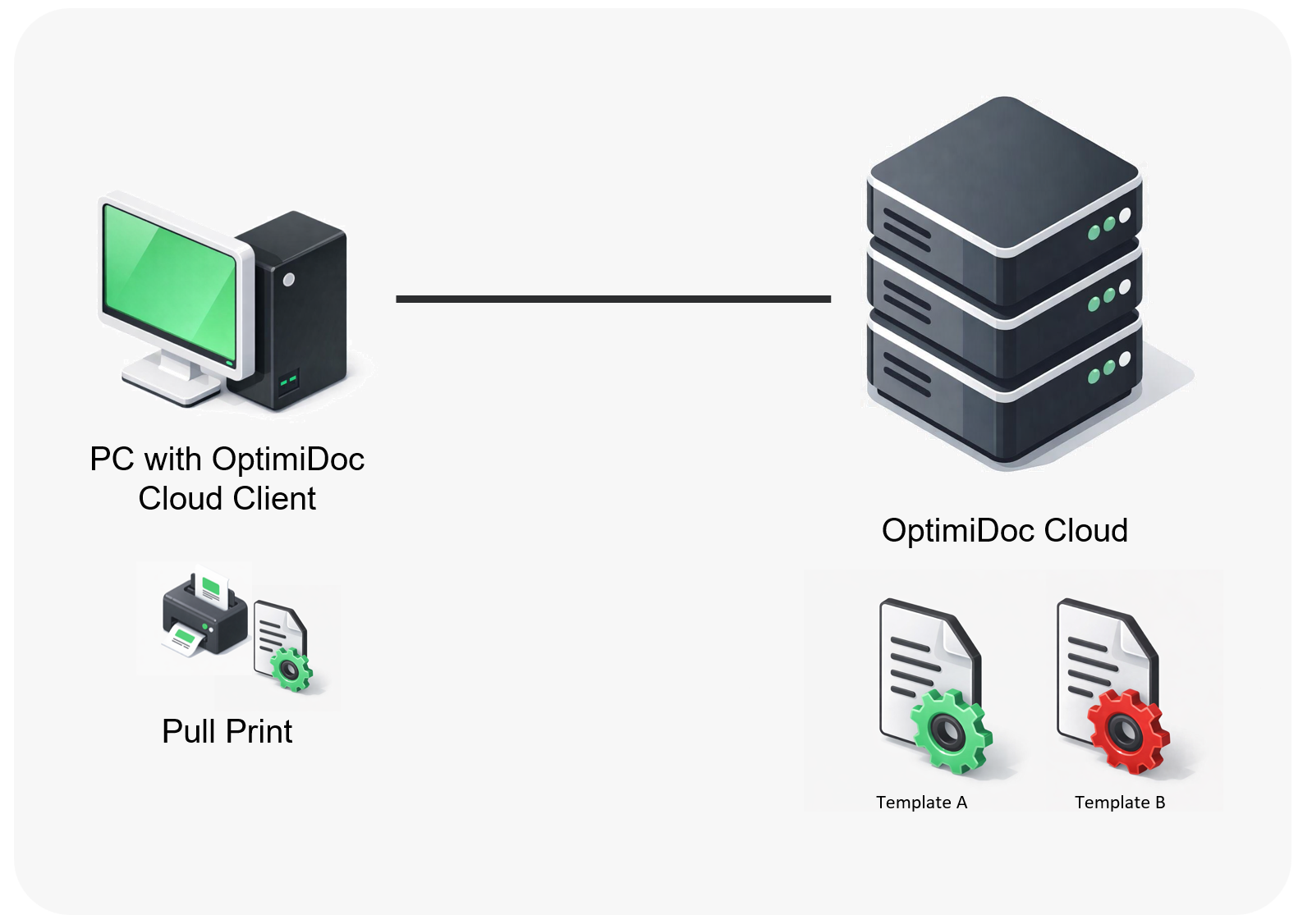
In secure or pull‑print scenarios, OptimiDoc uses virtual spoolers that abstract physical devices from the print submission process. Print jobs are spooled using the driverless IPP protocol through the OptimiDoc Cloud Client and stored securely until release.
Template‑Driven Configuration
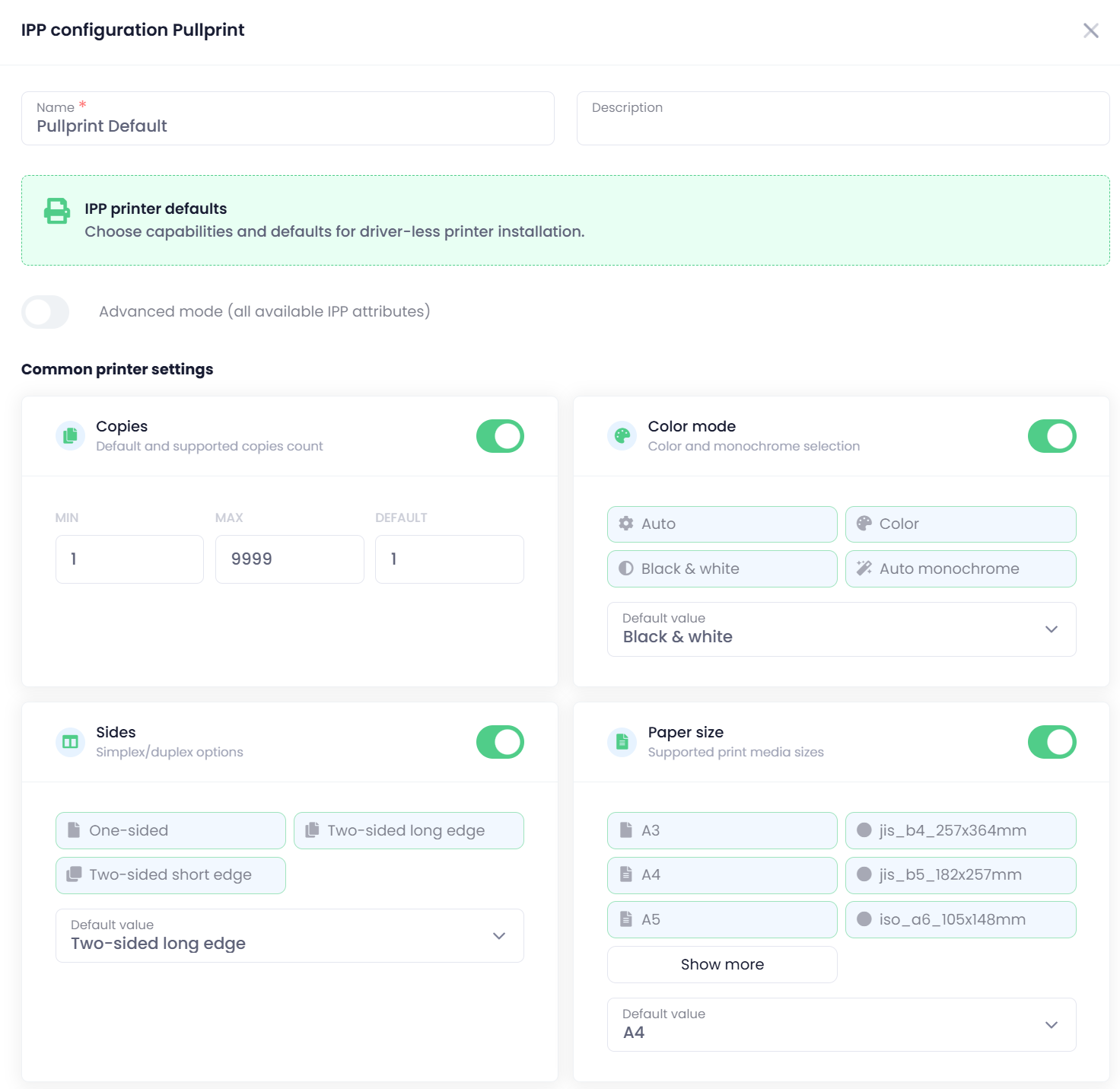
Virtual spoolers rely on predefined print templates, centrally managed by administrators. Each template defines:
-
Permitted finishing options
-
Default print settings (e.g. duplex, colour policy)
-
Device‑specific constraints
Templates are applied at job release time, providing deterministic output, enforcing print policies, and removing configuration ambiguity for end users.
This model ensures consistent results across devices while maintaining a driver‑independent architecture.
Release through Embedded Application
OptimiDoc Embedded applications leverage the capabilities provided by manufacturer SDKs and native device technologies to release documents directly from cloud storage.
Thanks to printing PDF documents, which do not contain embedded print configuration, the device prints the document strictly according to the settings provided via IPP attributes or according to updated values configured on the device immediately before the print job is released.
This used to be a common issue with PCL or PostScript (PS) print jobs, where the device often ignored settings applied by OptimiDoc and instead prioritised the configuration embedded directly within the PCL or PS job. This behaviour resulted in inconsistent output and limited control over the final print execution.
The only potential limitation is defined by the capabilities of the device SDK, specifically in terms of which individual print settings can be configured or controlled.