
Direct print enablement
To print directly to the device, you need to enable the direct printing feature on the device:
-
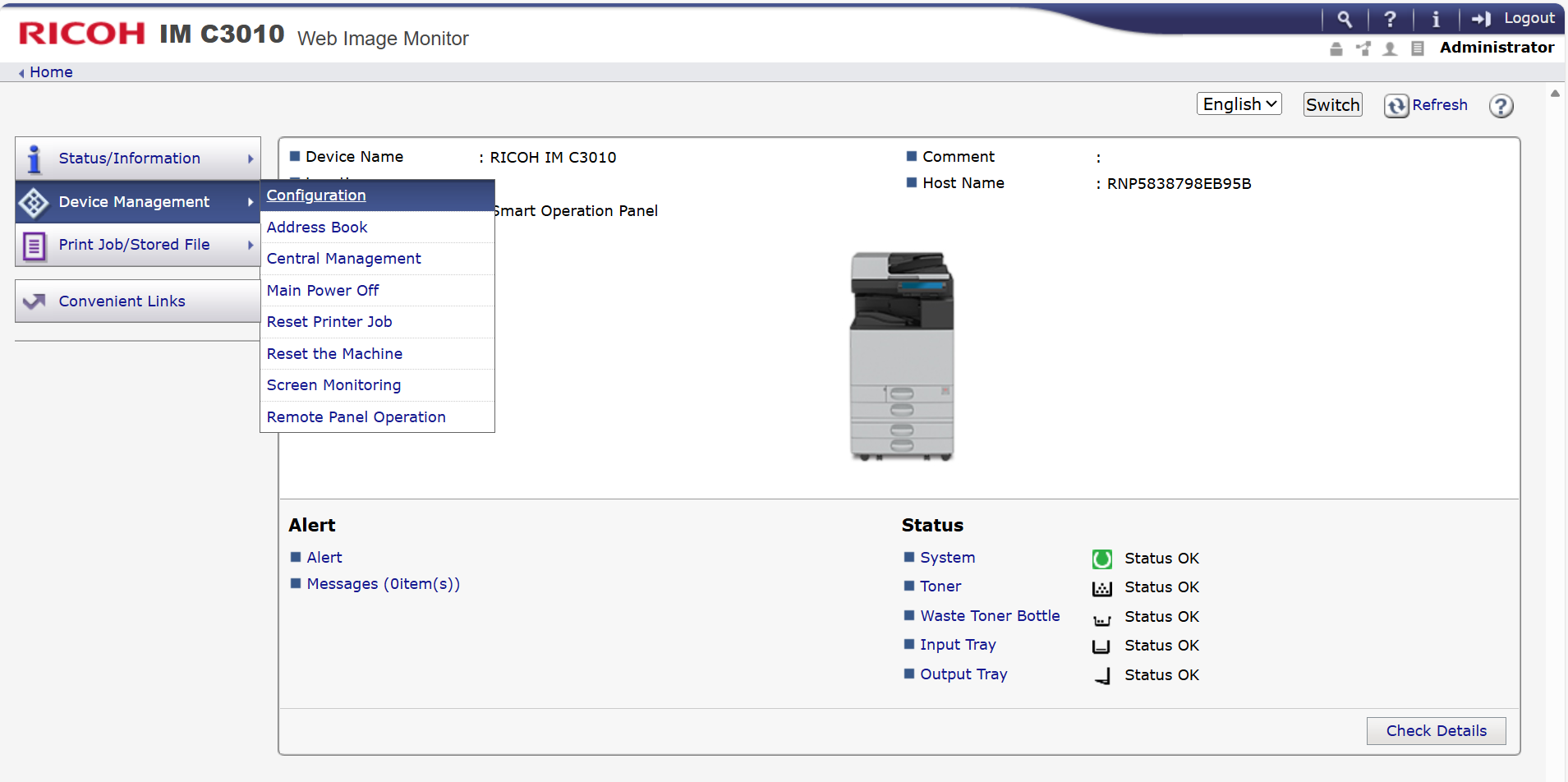
Open the device web interface.
-
Log in to the device as an administrator.
-
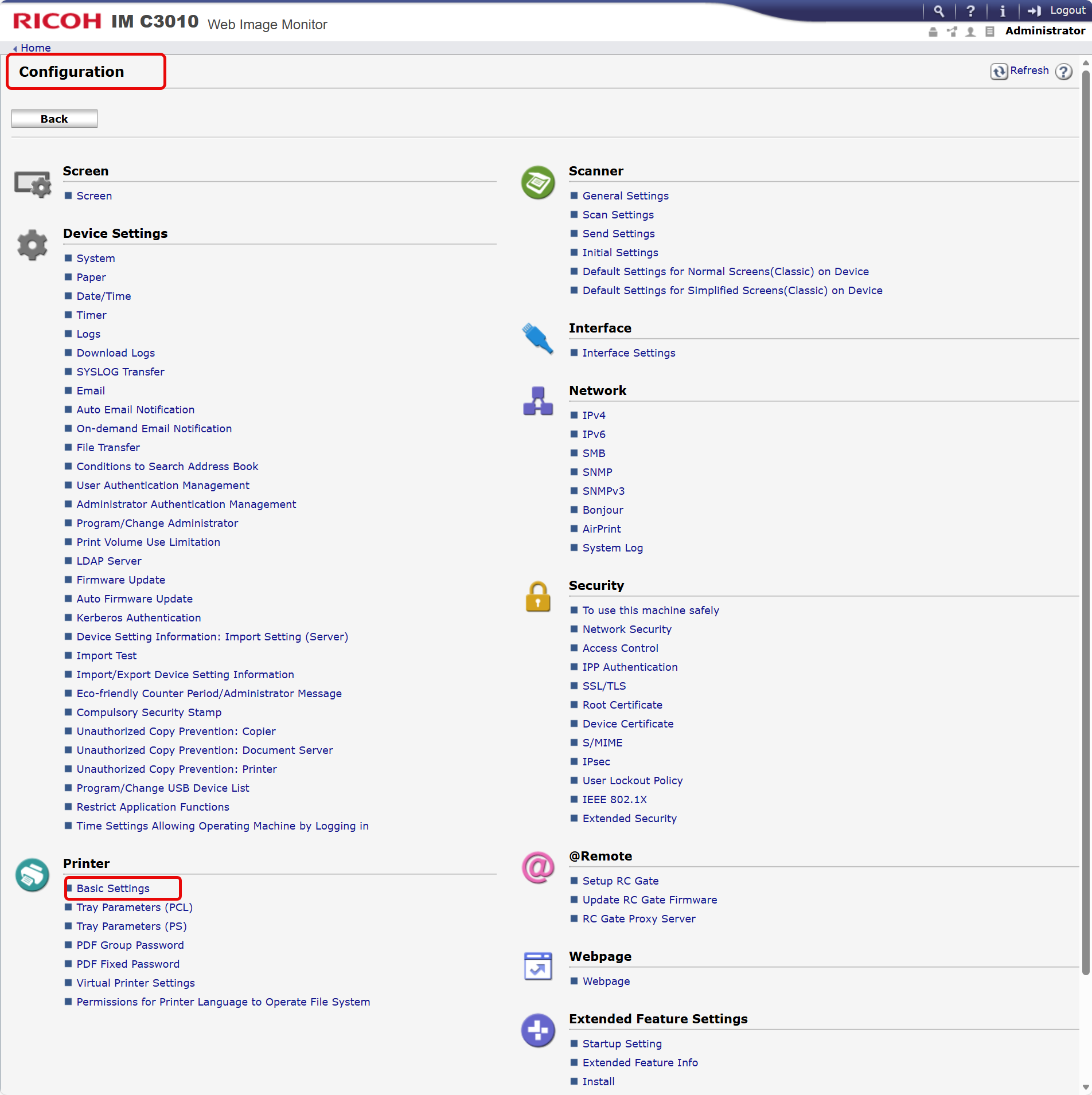
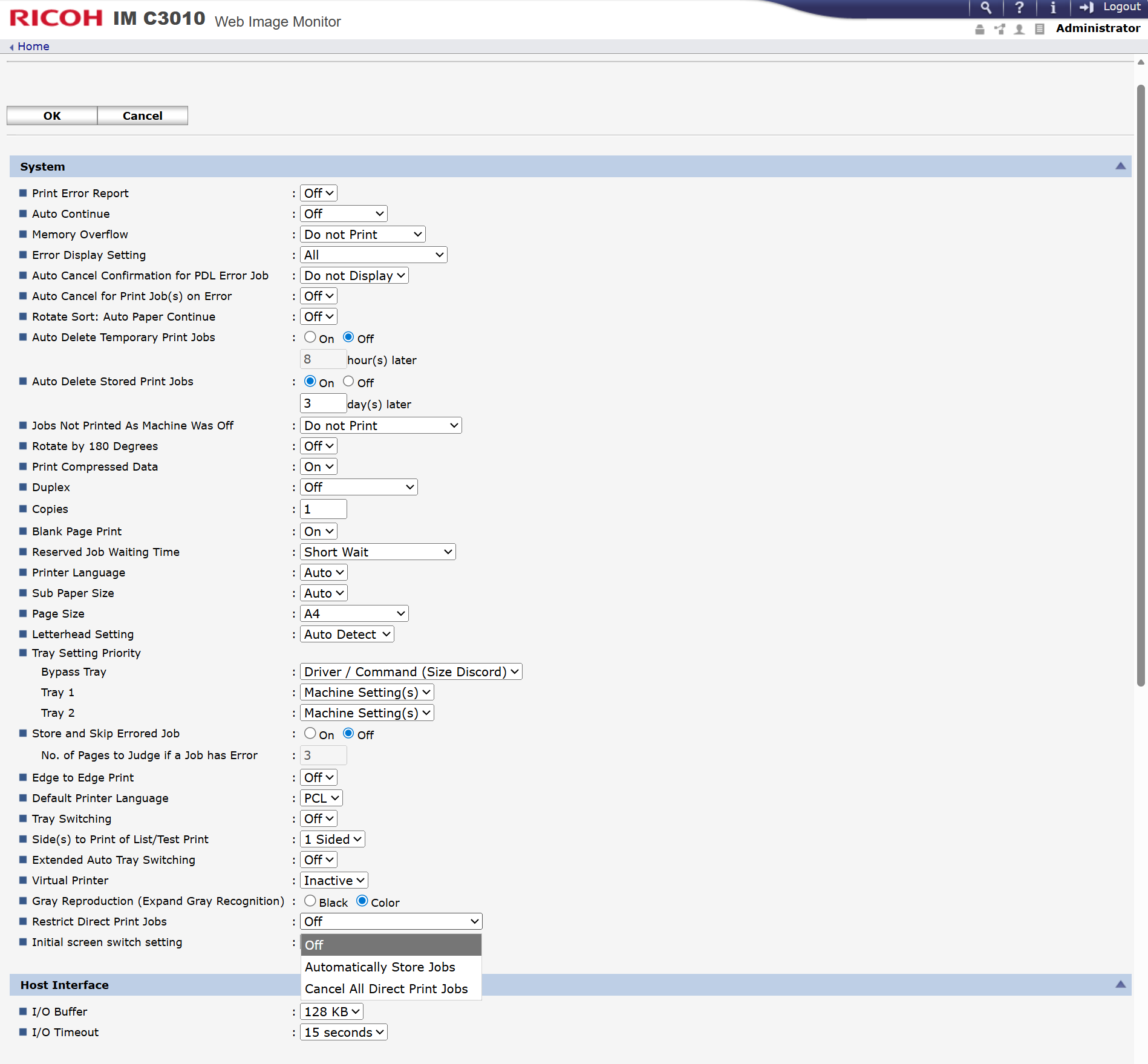
Navigate to Device Management > Configuration > Basic Settings > Restrict Direct Print Jobs.
-
Select the “Off” option.
-
Press “OK” button.
Set OptimiDoc Cloud as the Default Application After Authentication
-
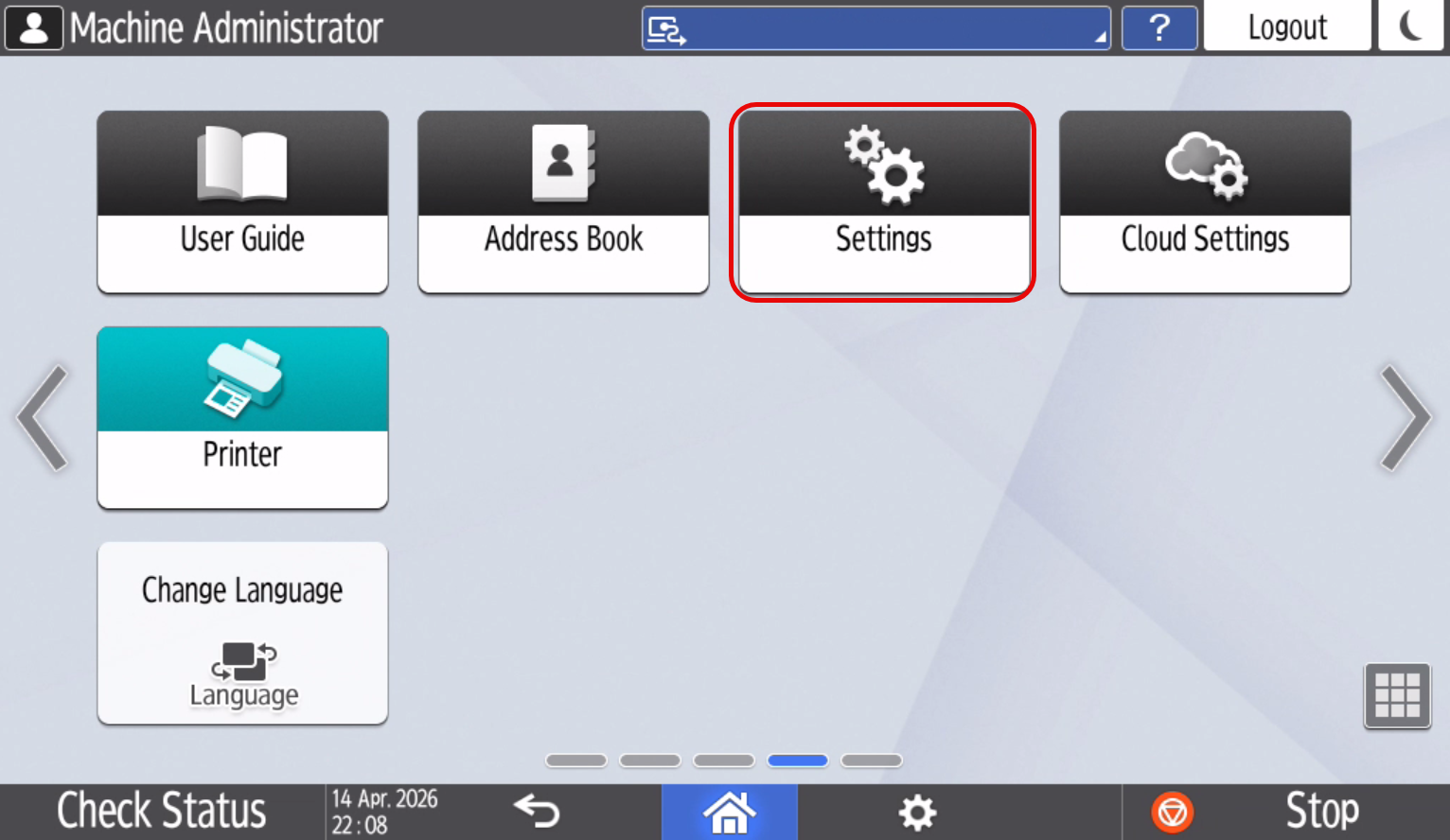
Log in as Administrator on the device control panel.
-
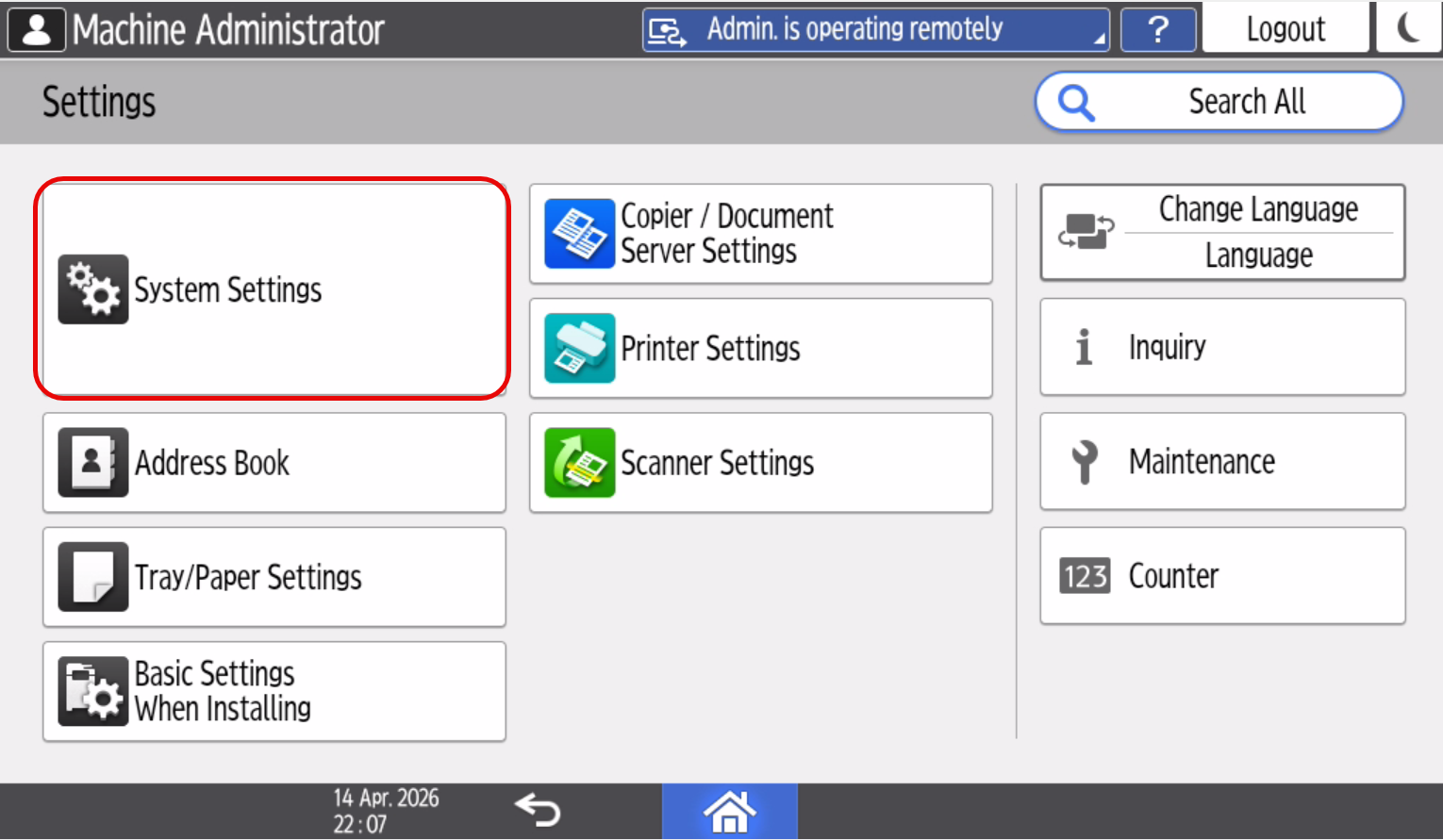
Open Settings.
-
Open System Settings.
-
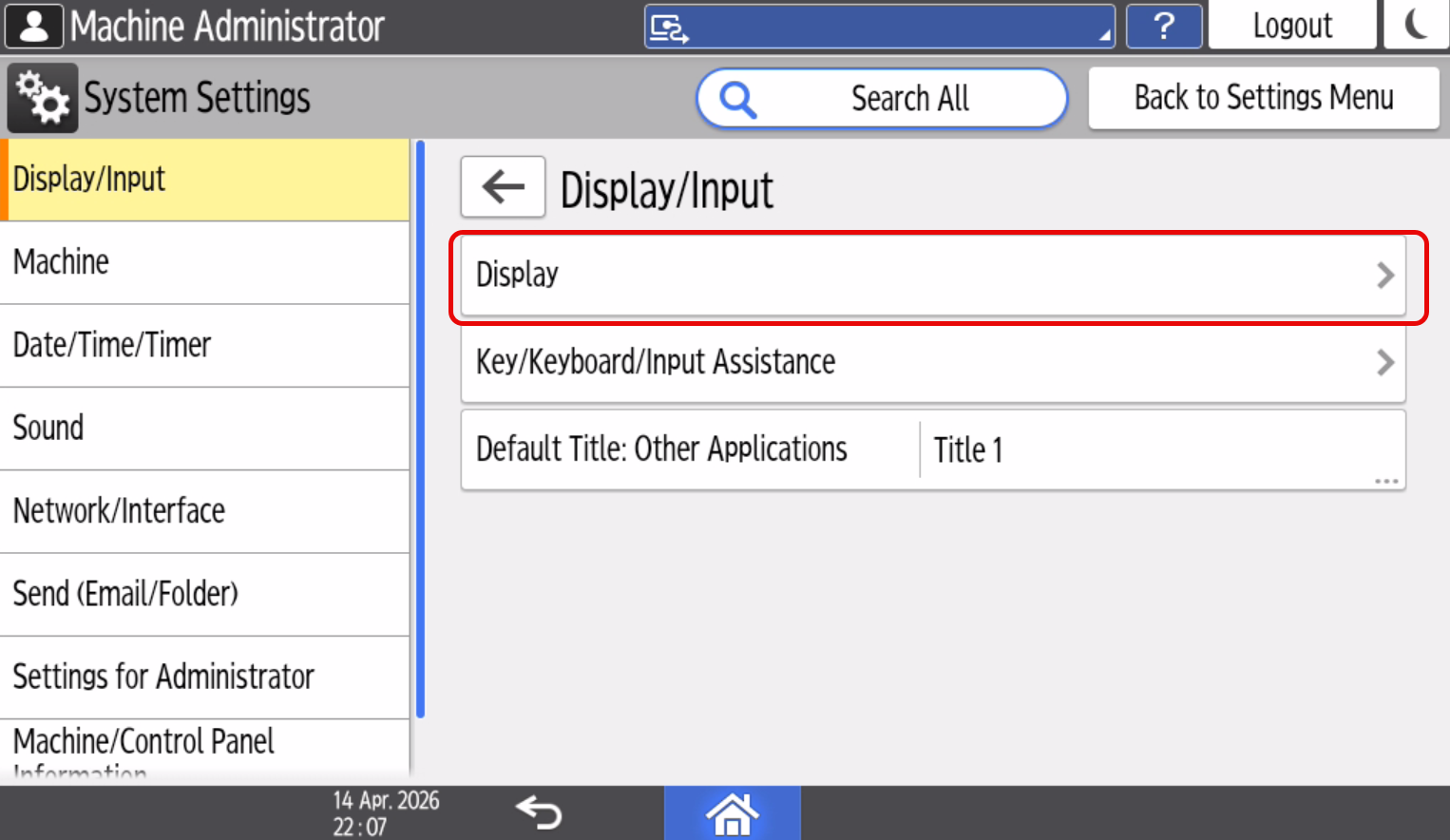
Select Display.
-
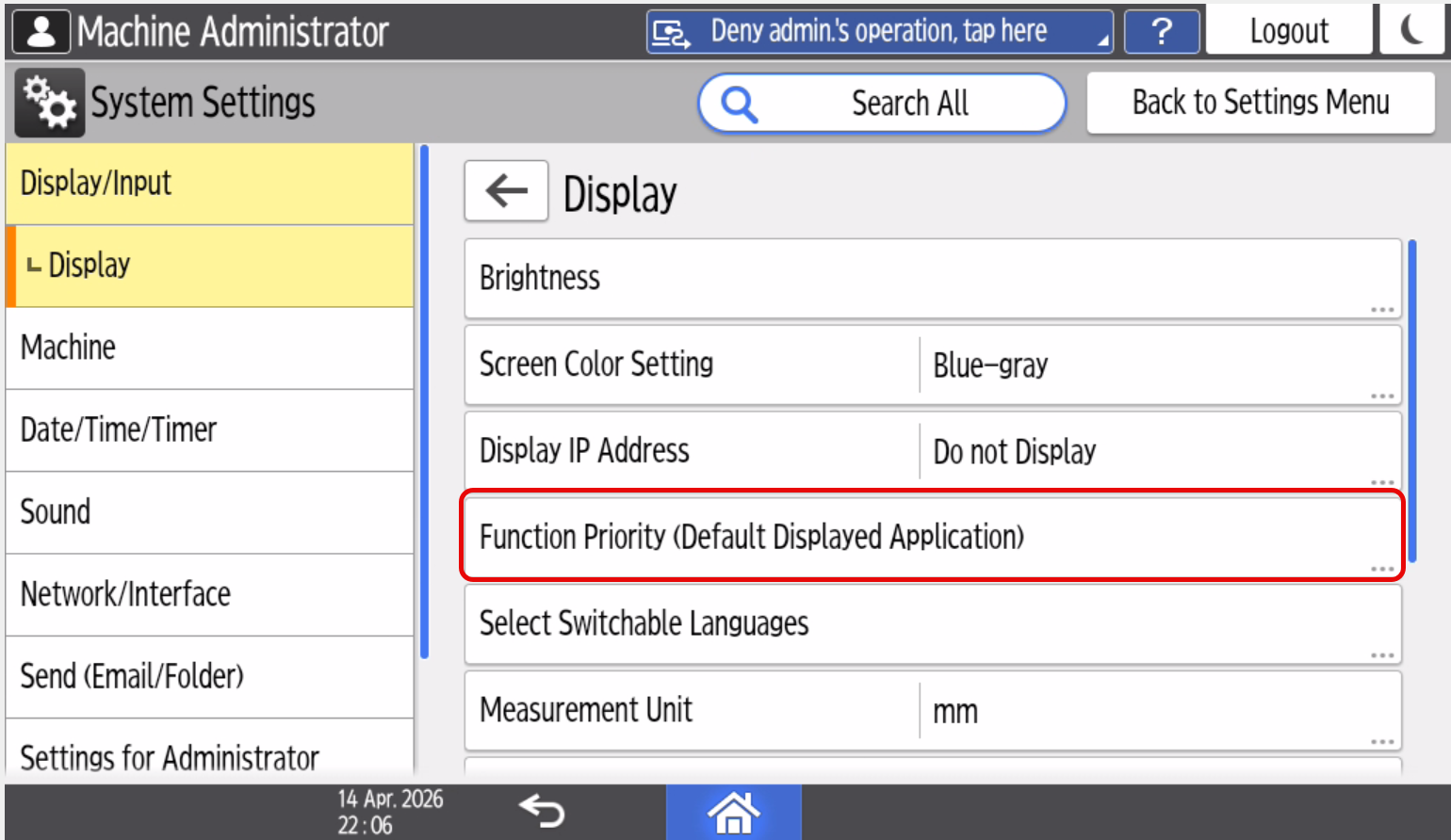
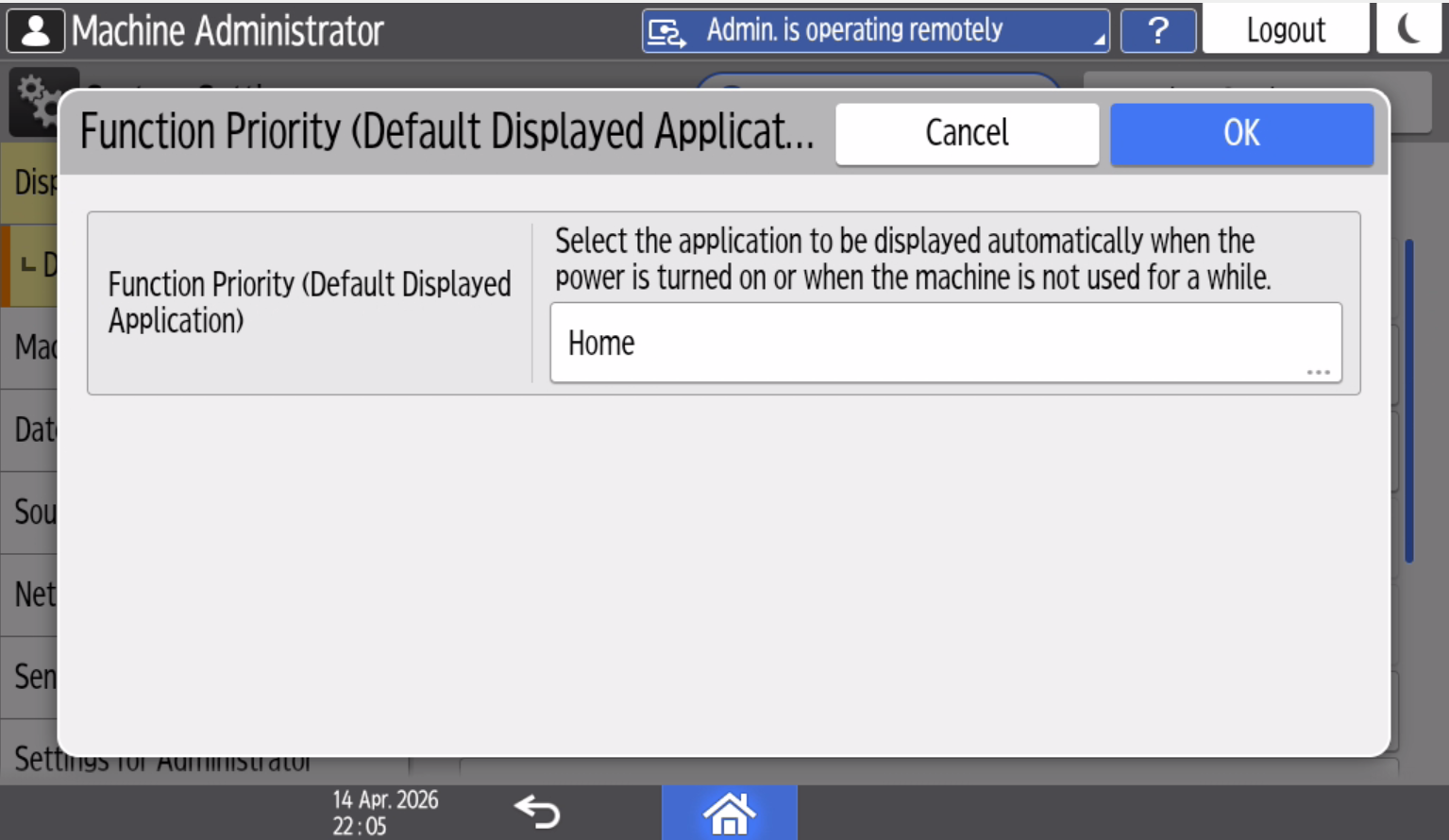
Open Function Priority and select OptimiDoc as the default application.
-
Click Ok.