
Use SFTP to pull documents directly into OptimiDoc and print them. To configure an OptimiDoc Cloud Print connector to use SFTP, please see below.
SFTP destinations are non‑user‑specific only. User‑specific mode is not supported for SFTP.
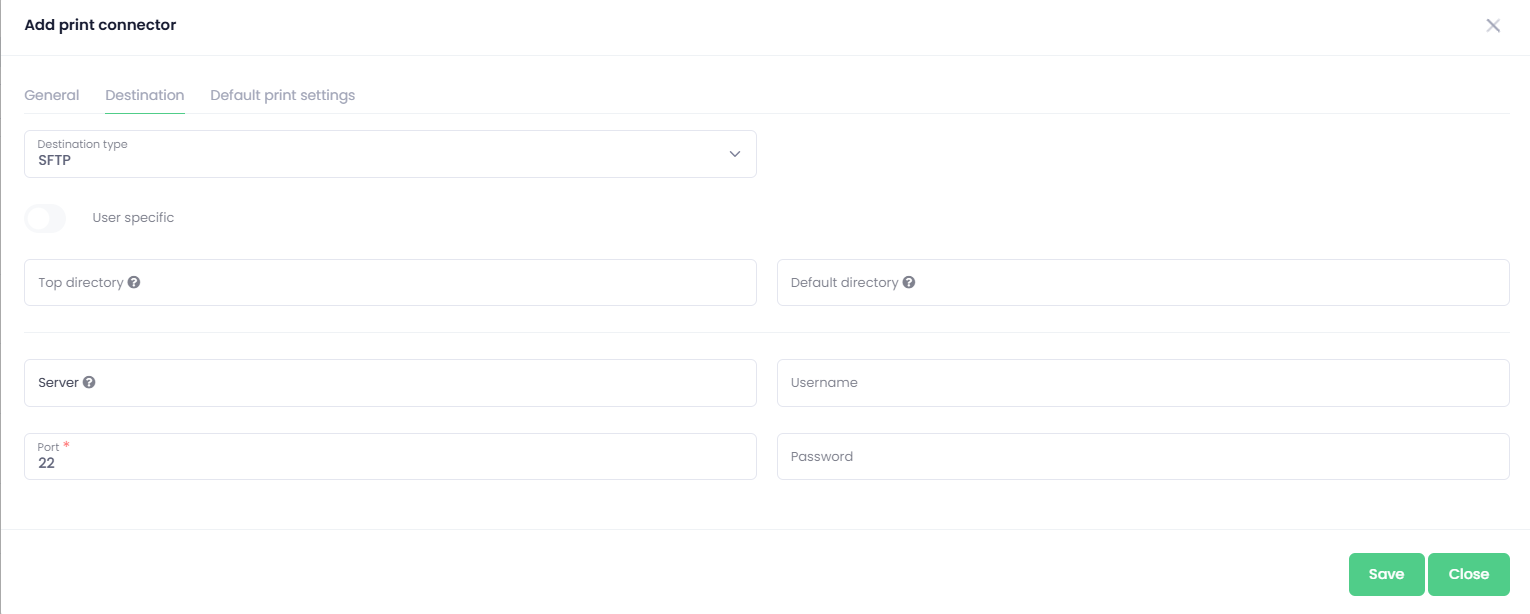
-
Select SFTP destination type
-
Enter the configuration fields:
-
Server - The IP address or DNS name of your SFTP server (e.g., sftp.example.com).
-
Port - The port number used by your server.
-
Username / Password - Valid SFTP account credentials with permission to create files in the target directory.
-
Enable metadata export – activate this option to save a metadata file alongside the document.
Configuration of metadata files is described here:
-
Note: If your SFTP Server is not publicly accessible, you can use an
OptimiDoc Cloud Nodeon the same subnet as your SFTP server to allow OptimiDoc to access the SFTP Server.