
OptimiDoc Cloud, thanks to the RestAPI destination and Advanced list, offers a deep integration with DocuWare. Users can scan documents directly to their cabinets, including entering metadata.
Detailed documentation about the API for DocuWare can be found here: REST API | DocuWare SDK Documentation
In the following sections, we will go through:
-
Add OptimiDoc Cloud as Register applications integrated via API
-
Demo configuration for storing documents in DocuWare with Cabinet selection
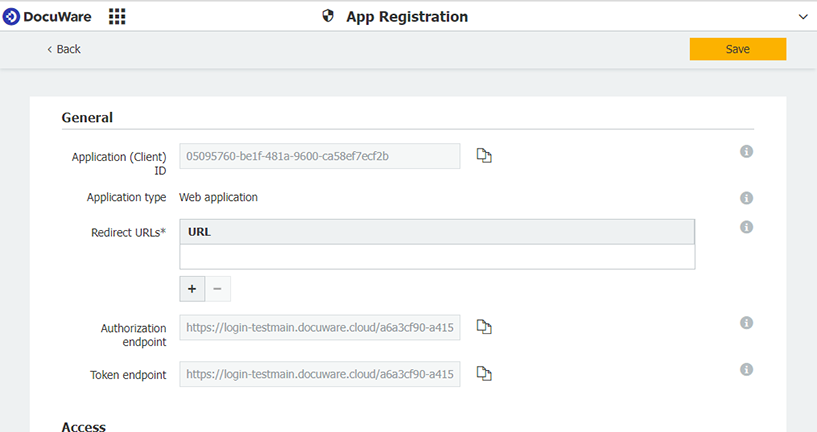
Registering OptimiDoc Cloud in the DocuWare
-
Follow the steps described in the following guide: Register applications integrated via API
Enter the following information:
-
Authorised Redirect URIs
Add the following redirect URIs, replacingxxwith the correct datacentre subdomain:
- https://xx.optimidoc.cloud/AdvancedLists/OAuthCallback
- https://xx.optimidoc.cloud/Destinations/AuthorizeApi
-
Save the Client ID and Client Secret, as they are required for configuration in OptimiDoc Cloud.