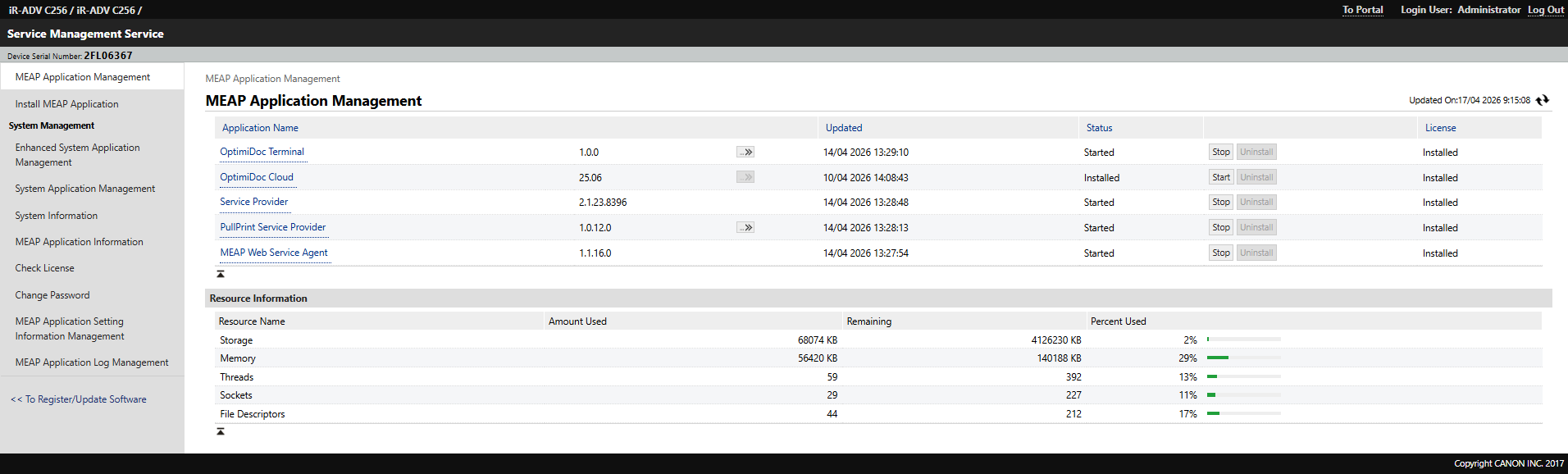
To ensure the OptimiDoc application functions properly, it is essential to follow the correct installation order. You must first install OptimiDoc application before proceeding to install of the Authentication application.
-
Open the device web interface.
-
Log in to the device as an Administrator.
-
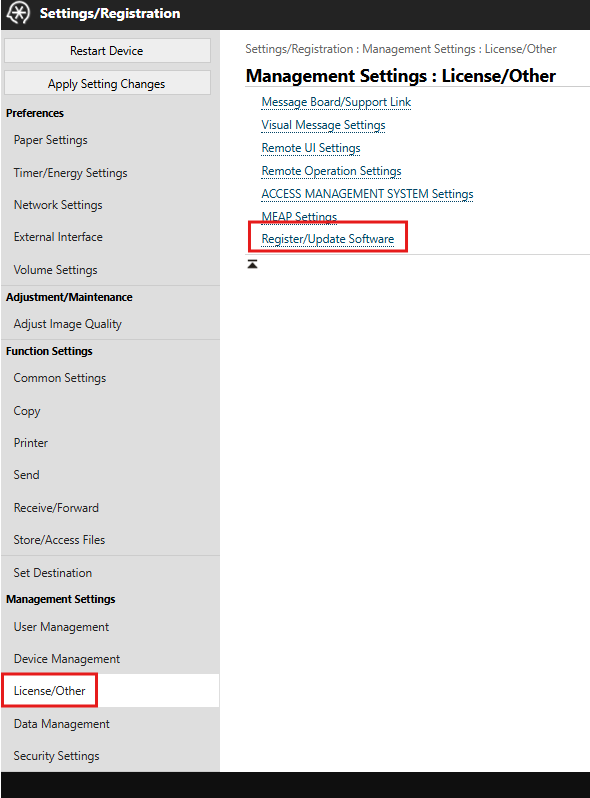
Navigate to Settings/Registration.

-
Continue to License/Other > Register/Update Software.
-
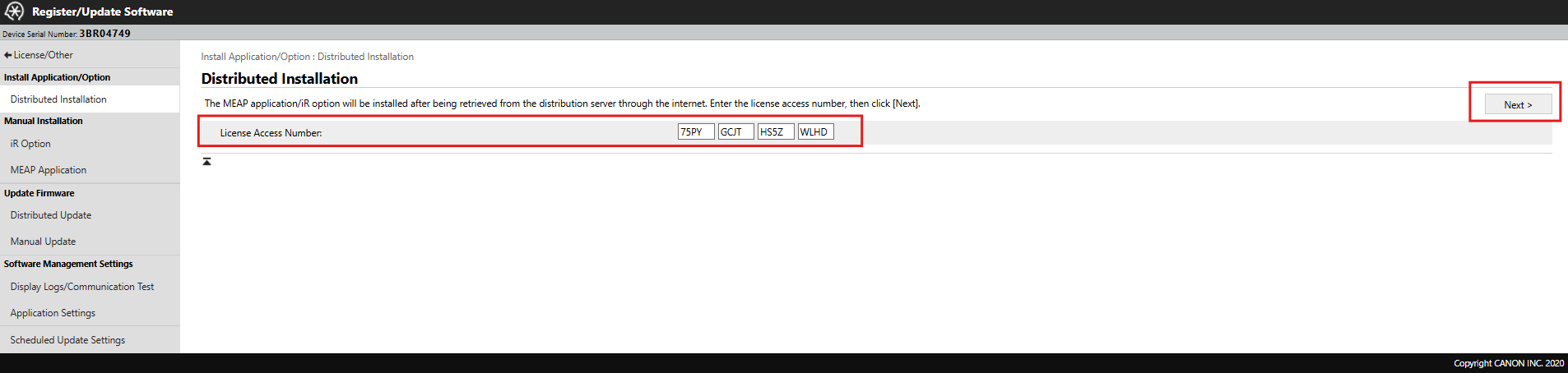
Enter License Access Number (LAN).
LAN code for Cloud application: FVNF-9HPE-MMA5-73PD
-
Click Next.
-
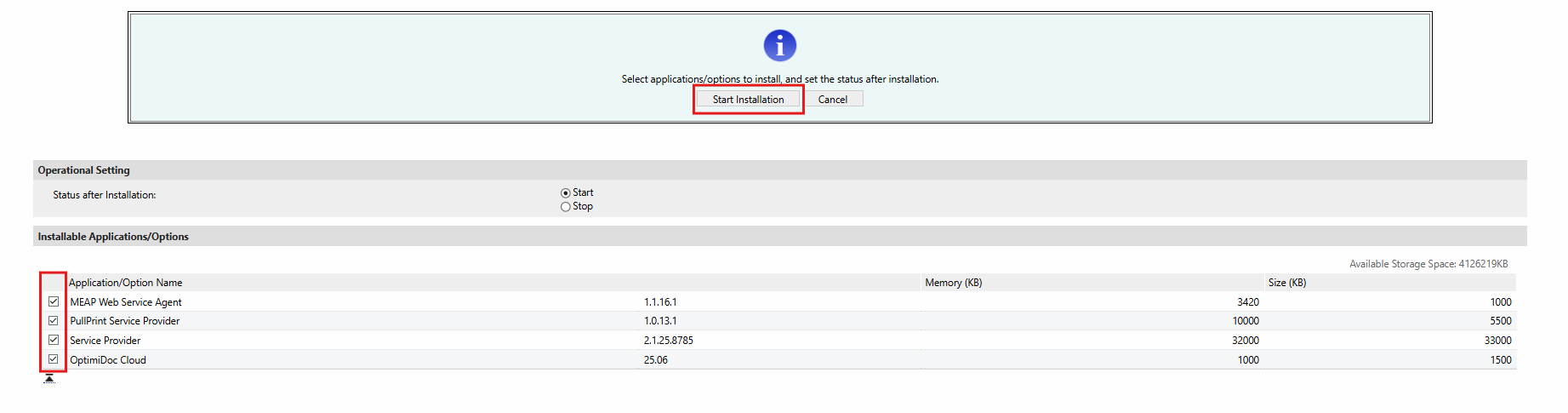
Select all items to be installed.
-
Click Start Installation button.
-
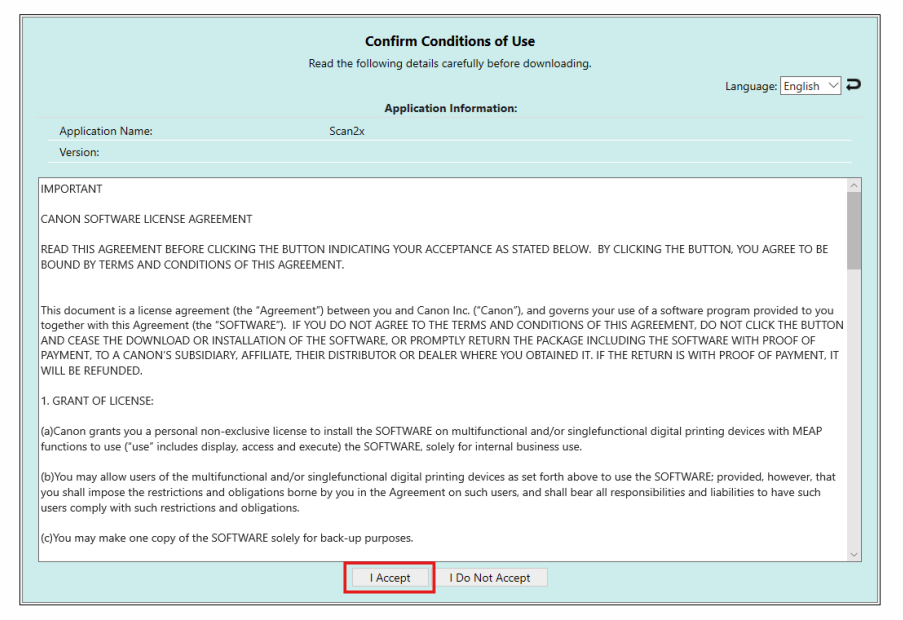
Accept EULA terms.
-
Click To Distributed Installation once the operation is completed.


-
Restart the device.
-
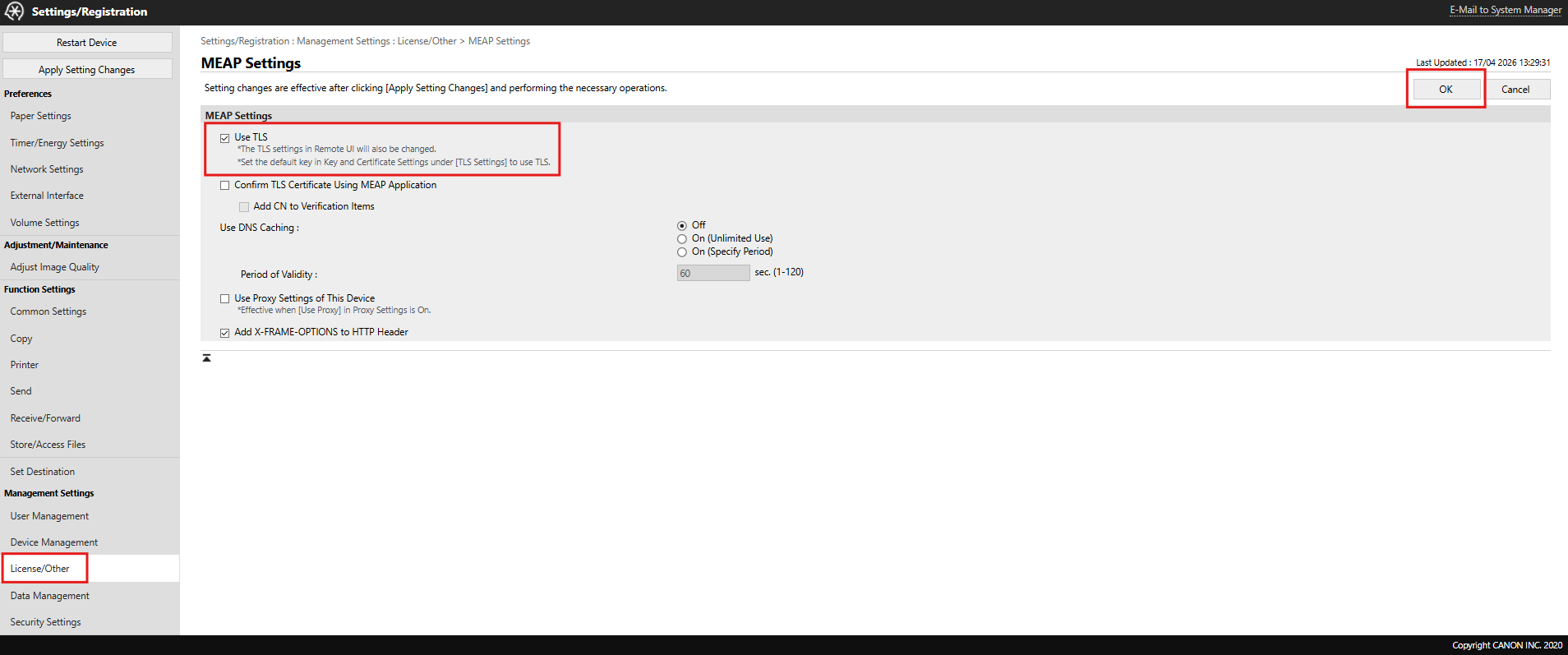
Once the device has restarted, navigate to Settings/Registration > License/Other > MEAP Settings > check the Use TLS option.
-
Click OK.
To view the list of installed applications, navigate to Settings/Registration > License/Other > Register/Update Software > MEAP Application > To Service Management Service > MEAP Application Management.