
Before installing the OptimiDoc app on your device, you must manually configure the settings directly on the device:
-
Open the device web interface.
-
Log in to the device as an administrator.
-
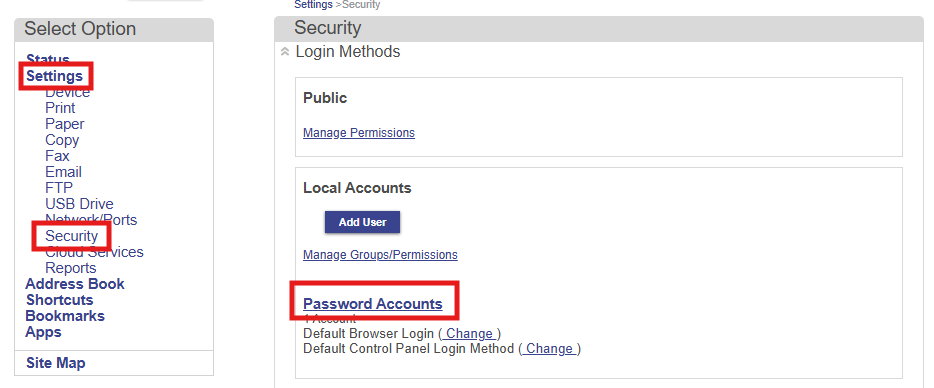
Navigate to Settings > Security > Login Methods > Password Accounts.
-
Click Add New User.
-
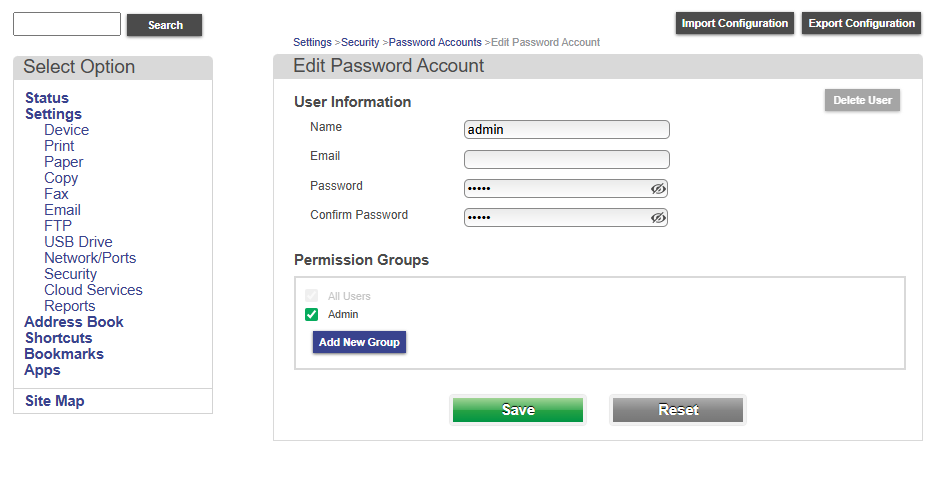
Fill in the User Information:
i. Name: admin
ii. Password
iii. Permission Groups: check the Admin button.
-
Click Save.
-
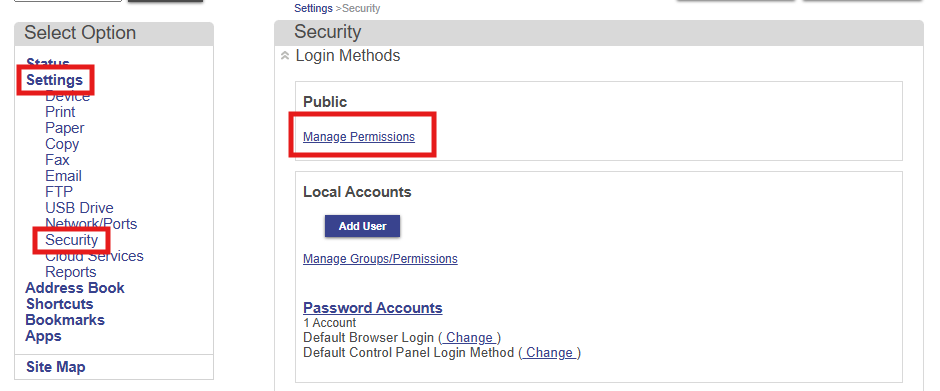
Navigate to Settings > Security > Login Methods > Manage Permissions.
-
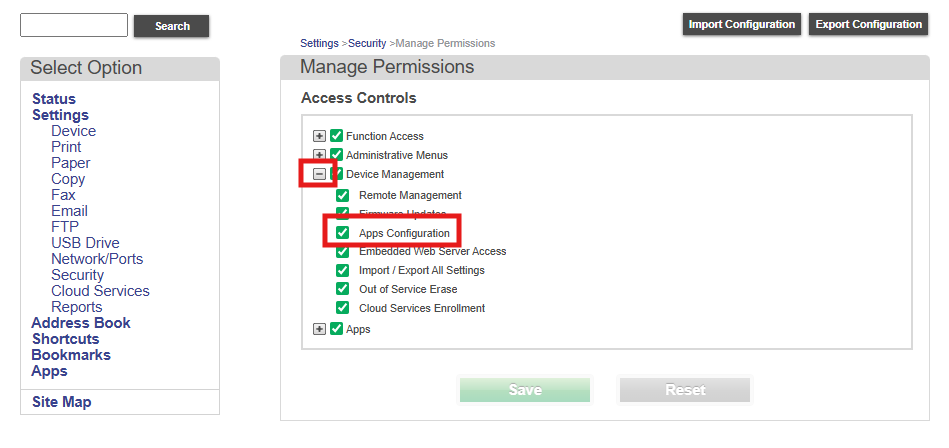
Click “+” button next to the Device Management.
-
Enable Apps Configuration option.
-
Click Save.
Once you have finished configuring the device system, please proceed with either the installation using the installer or a manual installation:
Once you have completed the installation, proceed with the post-installation configuration to finalize the entire installation process so that you can take full advantage of our application's features: